For high school, club and youth coaches

Coach whatmatters.

CoachBoost opens every day on what needs you: tonight's practice, the player waiting on feedback, the game you're preparing for. Then it connects your plans, your players and your program standards, with schedule, attendance and messaging built in.

Try it now opens a sample team in your browser. No download, no sign-up.

Built for any team sport: soccer, basketball, volleyball, lacrosse, hockey and more. 15-day free trial for every Program; players and families always join free.

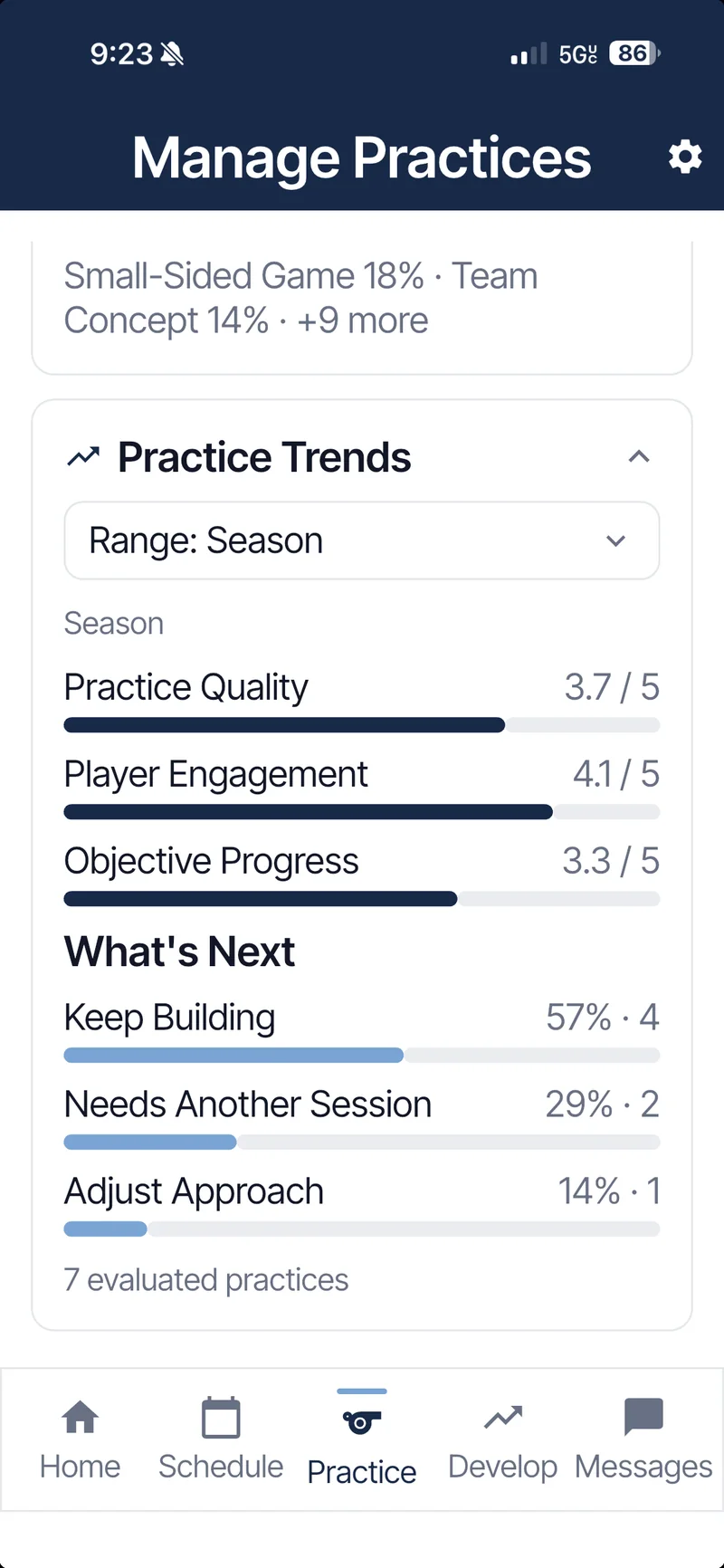
Practice Trends screen showing season averages for practice quality, player engagement and objective progress
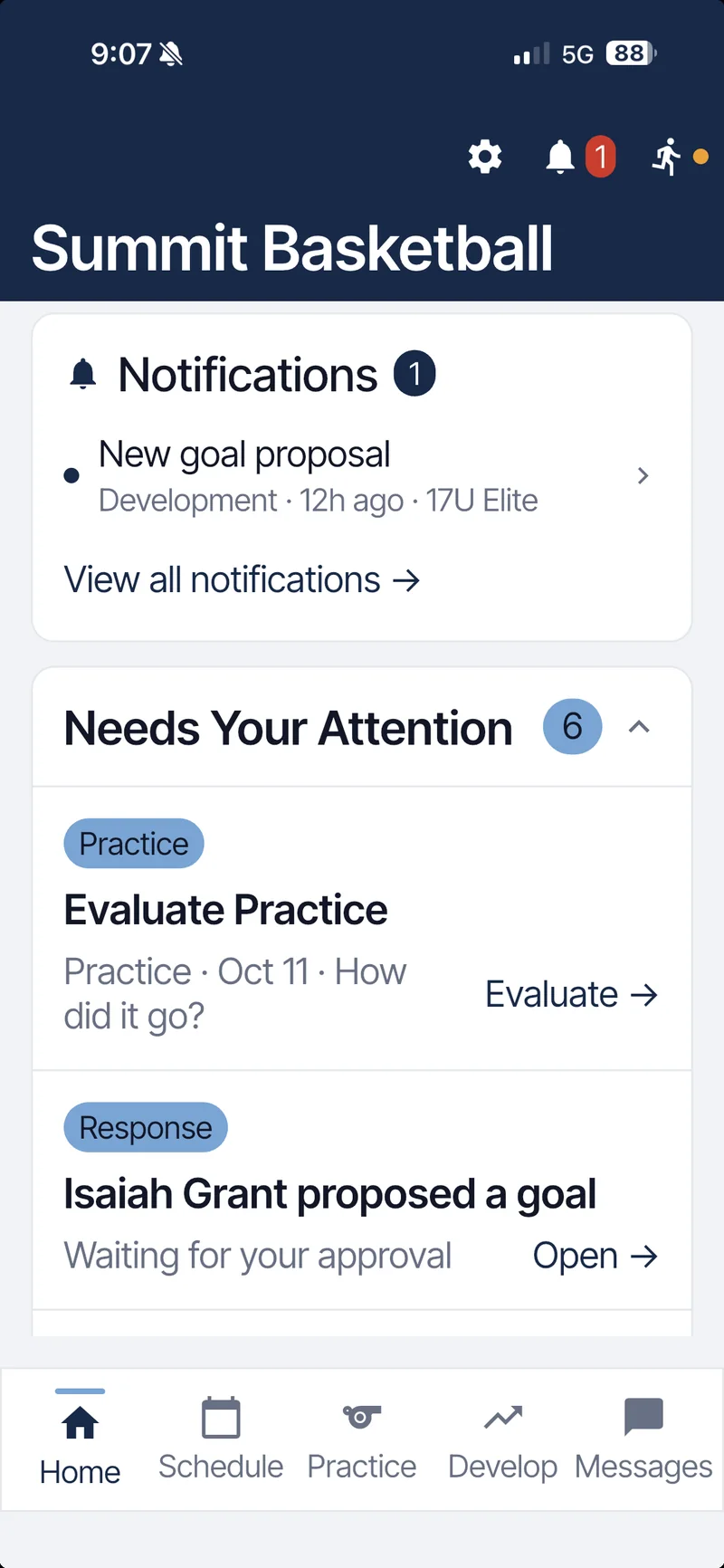
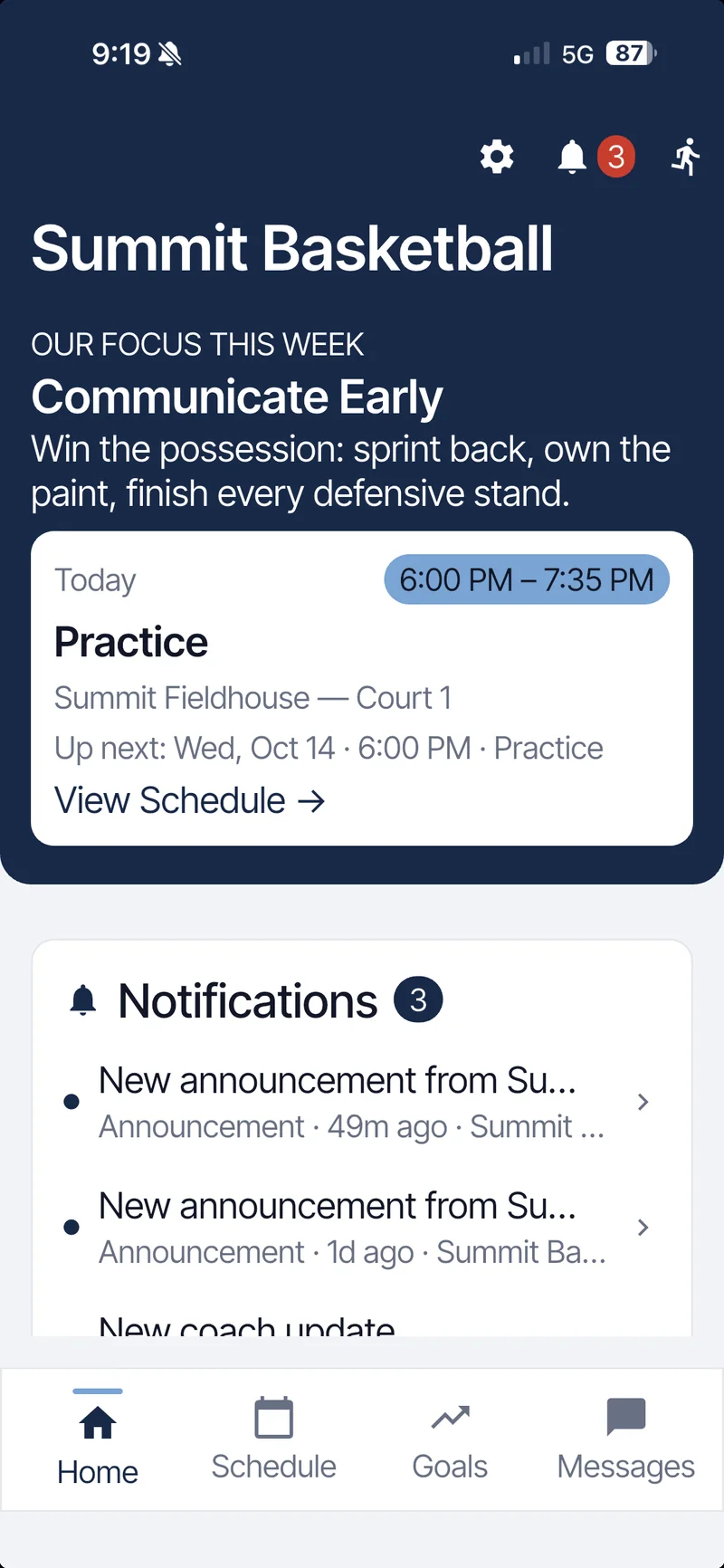
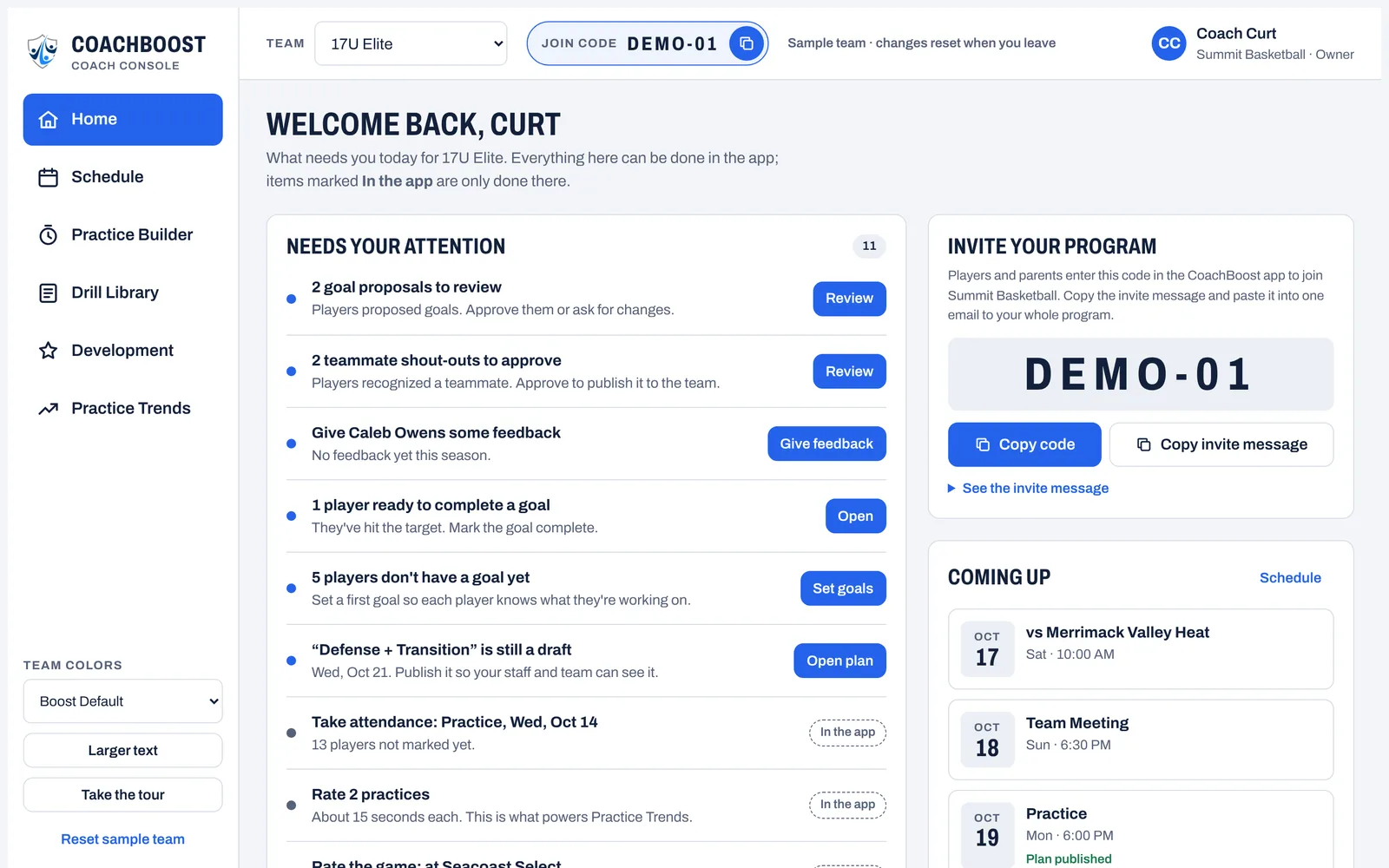
Coach Home screen showing today's 6:00 PM practice, new notifications and the Needs Your Attention list
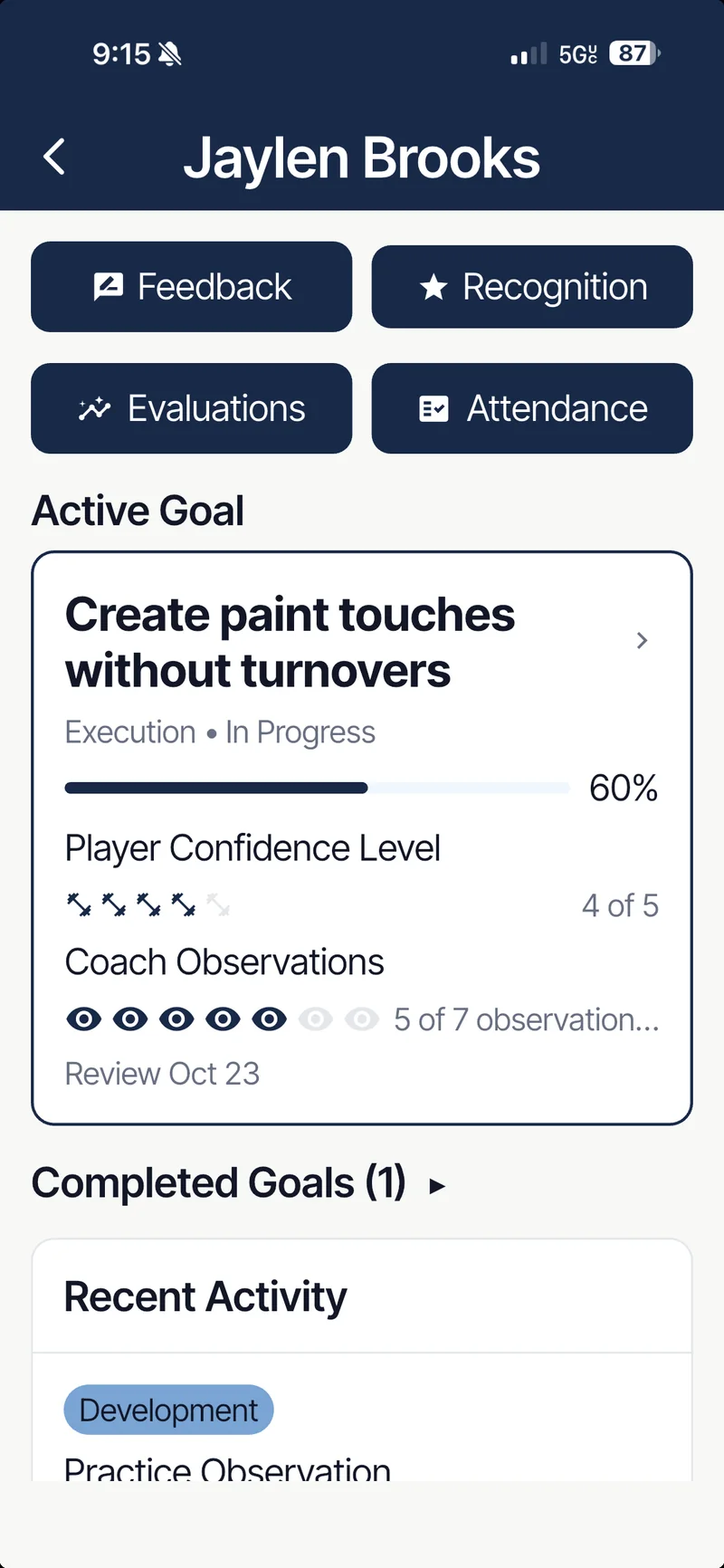
Player development screen for Jaylen Brooks: active goal at 60 percent, confidence 4 of 5, coach observations 5 of 7

The real work of coaching is scattered across six places.

Scheduling apps handle logistics. Everything that makes a team better lives somewhere else, or nowhere at all.

  • The schedulein a calendar app
  • Practice plansin a notebook or a doc
  • Player developmentin your head
  • Team messagesin group texts
  • Attendanceon a clipboard
  • Team culturetalked about, rarely tracked

CoachBoost puts that work in one connected system, so each part informs the next: last practice's evaluation shows up in tomorrow's plan and in this weekend's game prep.

01Today

Know what needs you today.

Coach Home is the screen you open before school or on the drive to practice. It puts the day's event and the coaching work that's waiting on you in one short list.

  • Today's event with time, location and what's up next.
  • Needs Your Attention: practices to evaluate, goal proposals to approve, recognitions to review.
  • Attendance to record when the session starts.
  • Development priorities, like weekly player reviews, before they slip.
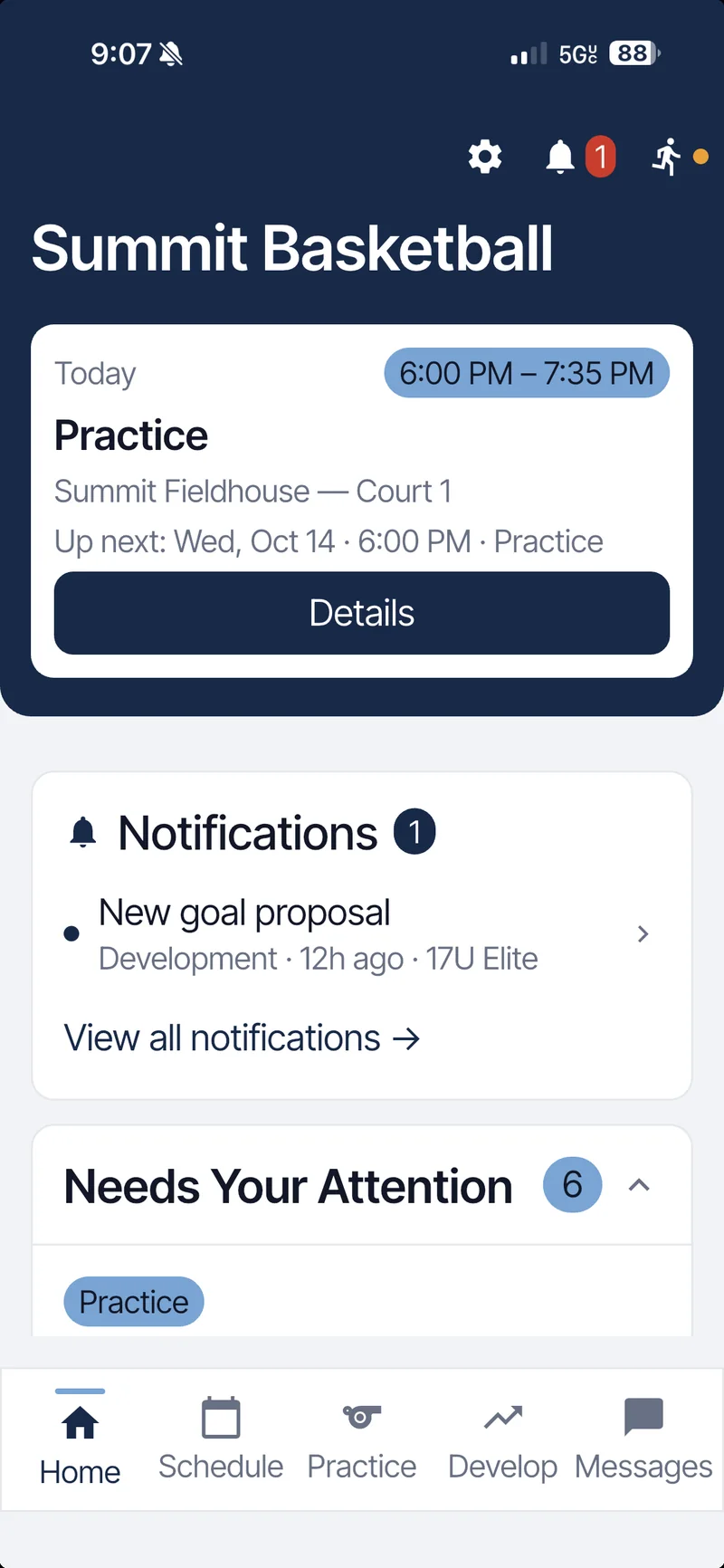
Coach Home: today's practice card with time, location and a Details button
Needs Your Attention expanded: Evaluate Practice and a goal proposal waiting for approval
02Practice

Plan practice with purpose.

Build timed sessions from your own drills, give every block a teaching focus, and publish the plan so players walk in knowing what tonight is about.

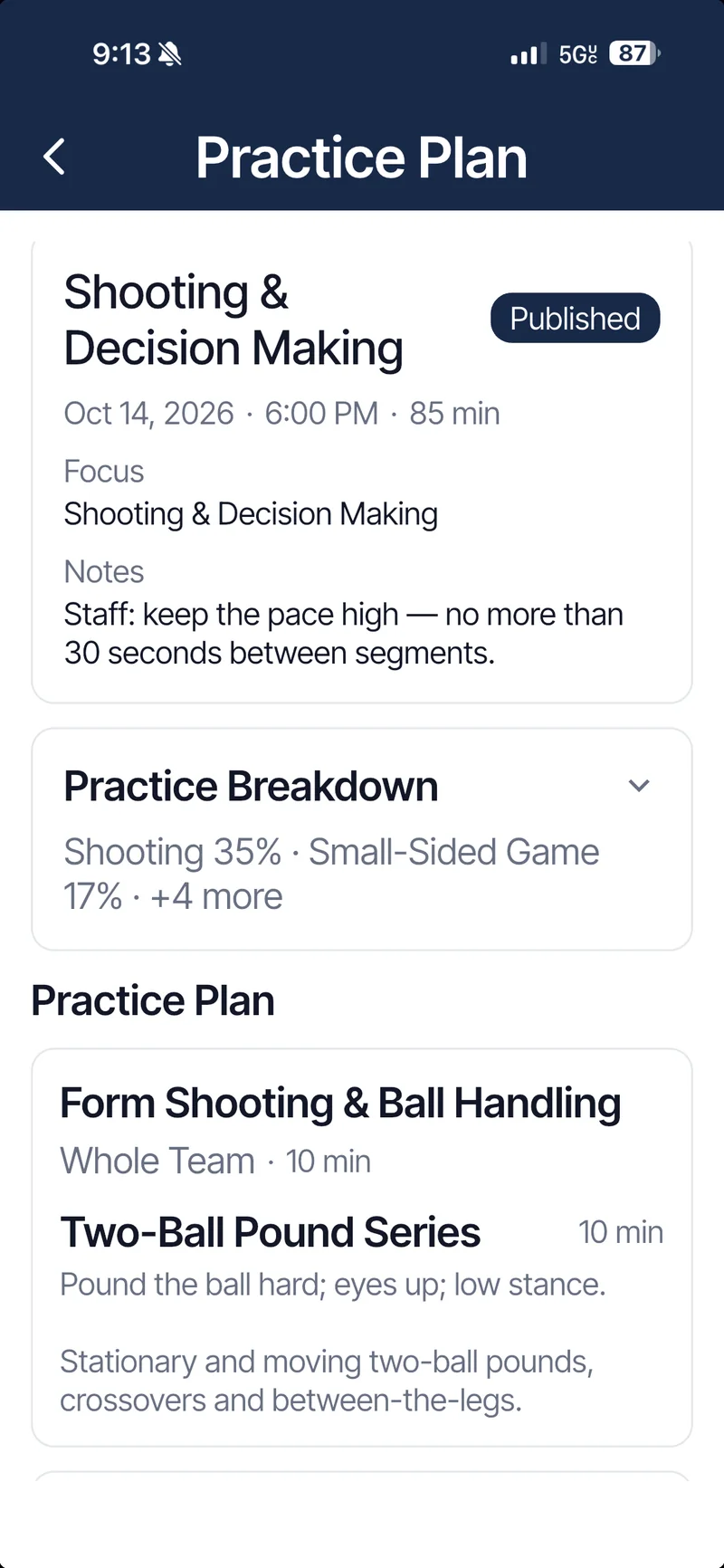
  • Structured plans with segments, durations, coaching cues and staff notes.
  • A breakdown of the session by category, so you can see the mix before you run it.
  • Drill Library and practice templates you reuse all season.
  • Run it live or share it as a PDF with your staff.

See what you're actually training.

After practice, rate how it went in a few taps. Practice Trends turns those evaluations into a season view of practice quality, player engagement and progress on your objectives, plus what to do next: keep building, run it again, or adjust the approach.

Published practice plan, Shooting and Decision Making: 85 minutes, focus, staff notes and practice breakdown
Practice Trends for the season: practice quality 3.7, player engagement 4.1, objective progress 3.3 out of 5
03Players

Turn feedback into progress.

Every player works on one active goal at a time. You see where they are, what they think, and what you've observed, side by side.

  • One active goal per player, proposed by the player or set by you, with progress tracked over time.
  • Coach observations from practices and games build toward each review.
  • Player confidence as the player reports it, next to your view.
  • A feedback timeline and completed-goal history, so growth is on the record.
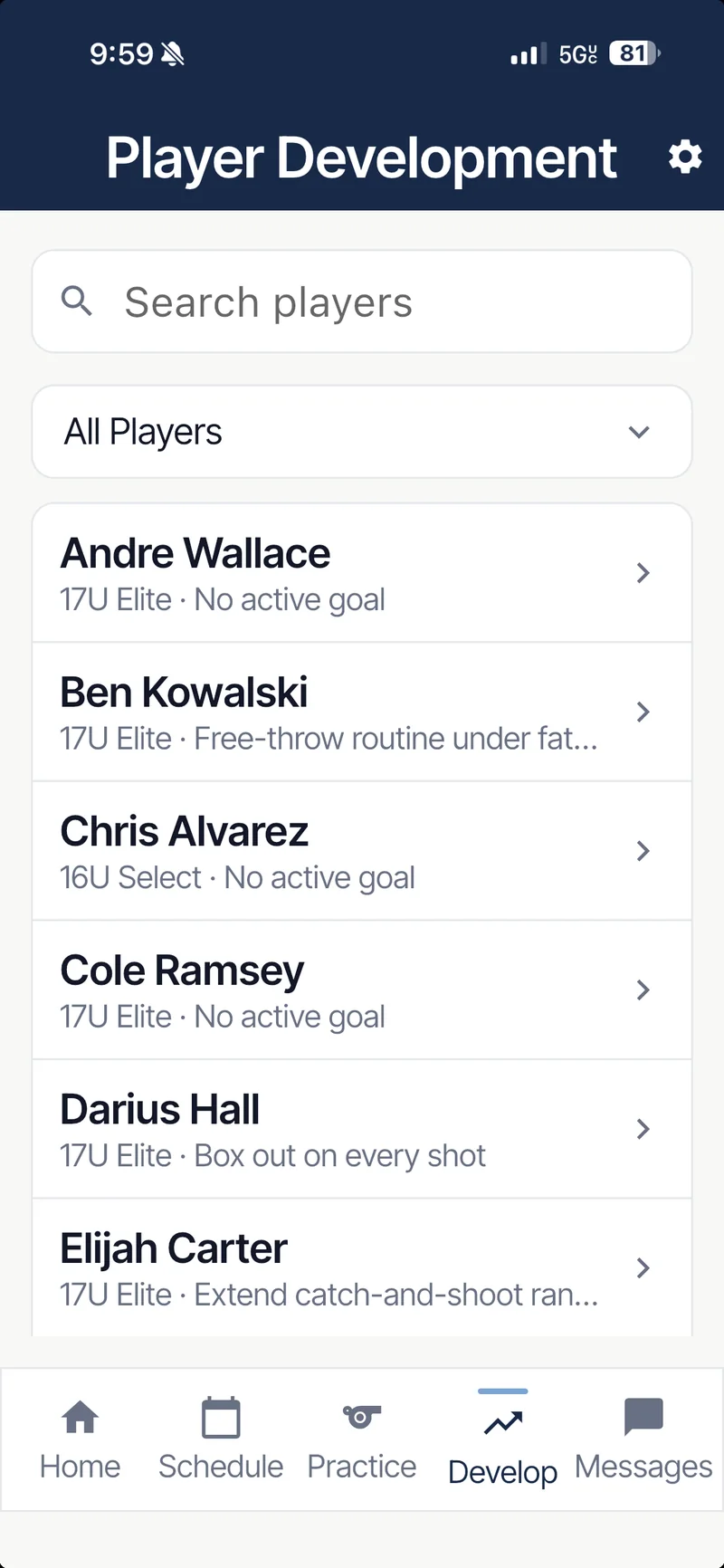
  • Attention signals for players with no active goal or a review coming due.

Confidence ratings are self-reported by players. CoachBoost records what players and coaches enter; it does not assess motivation, confidence or wellbeing.

Coach view of Jaylen Brooks: goal Create paint touches without turnovers at 60 percent, confidence 4 of 5, coach observations 5 of 7
Player Development roster listing each player's active goal

Every player owns their development.

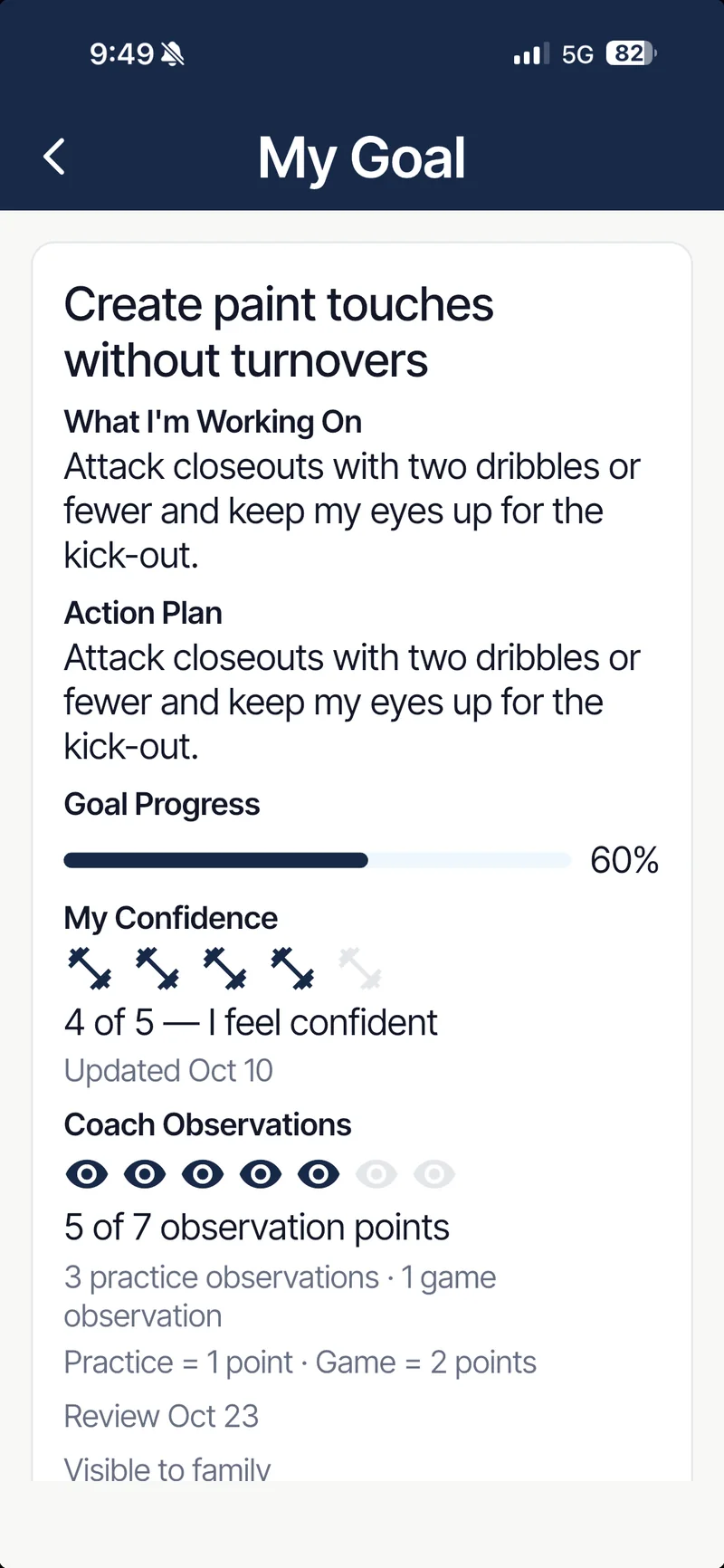
Players see their own goal, their own action plan and your feedback in their own app. The work belongs to them, and you can see it happening.

  1. Coach sets direction

    You approve the goal and name what success looks like.

  2. Player owns progress

    They post weekly updates, check in after sessions and rate their own confidence.

  3. Coach reinforces

    Your observations and recognition land in their timeline, tied to the goal.

Player's My Goal screen: what I'm working on, action plan, 60 percent progress and coach observation points
Player Home: this week's team focus Communicate Early and tonight's practice
04Competition

Walk into competition prepared.

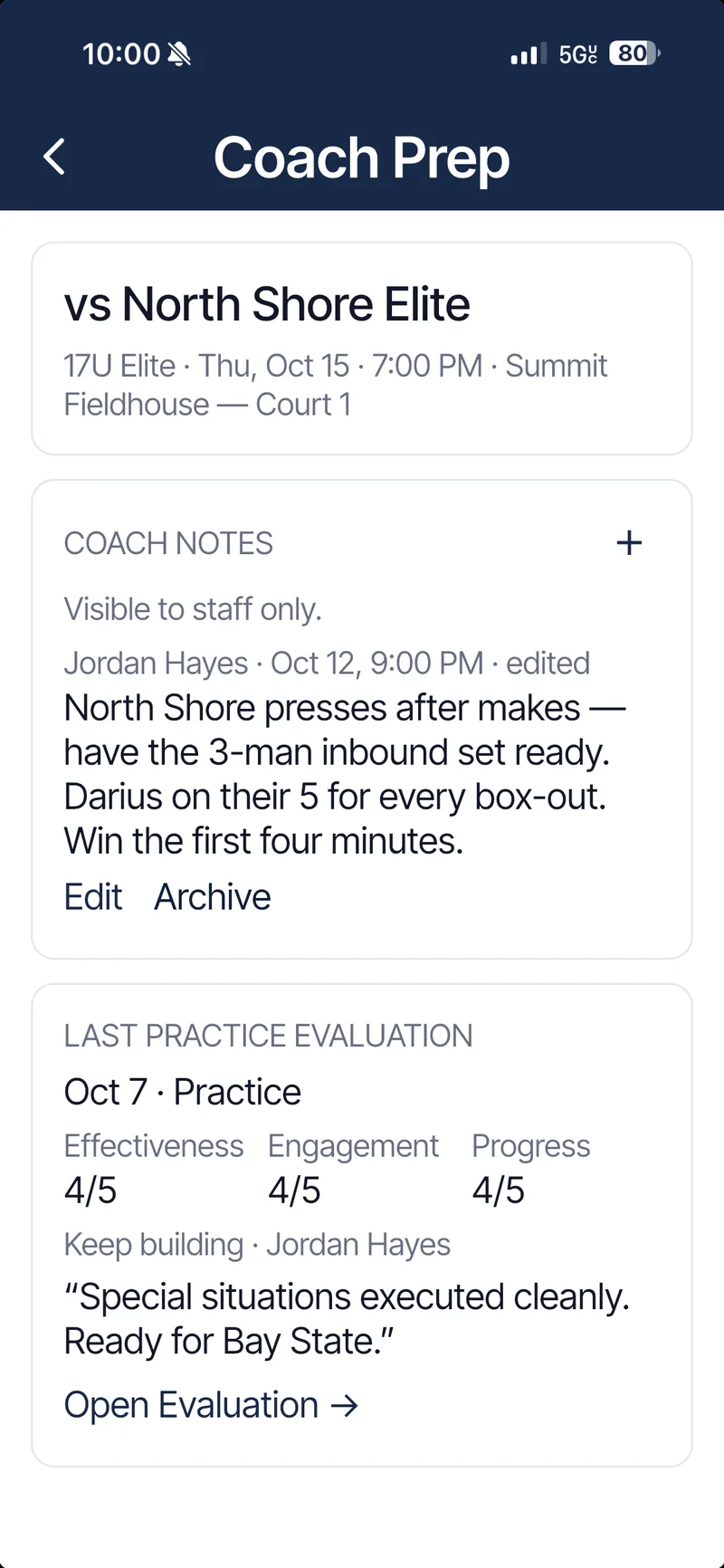
Coach Prep gathers what you need before tip-off or kickoff on one screen, attached to the game itself.

  • Private staff notes on the opponent and your plan. Visible to coaches only.
  • Your last practice evaluation, so you know what's sharp and what isn't.
  • Your last game evaluation, so lessons carry into the next one.
  • Game details for players and families kept separate from staff prep.
Coach Prep for an upcoming game: staff-only coach notes and the last practice evaluation
05Culture

Build the culture you coach.

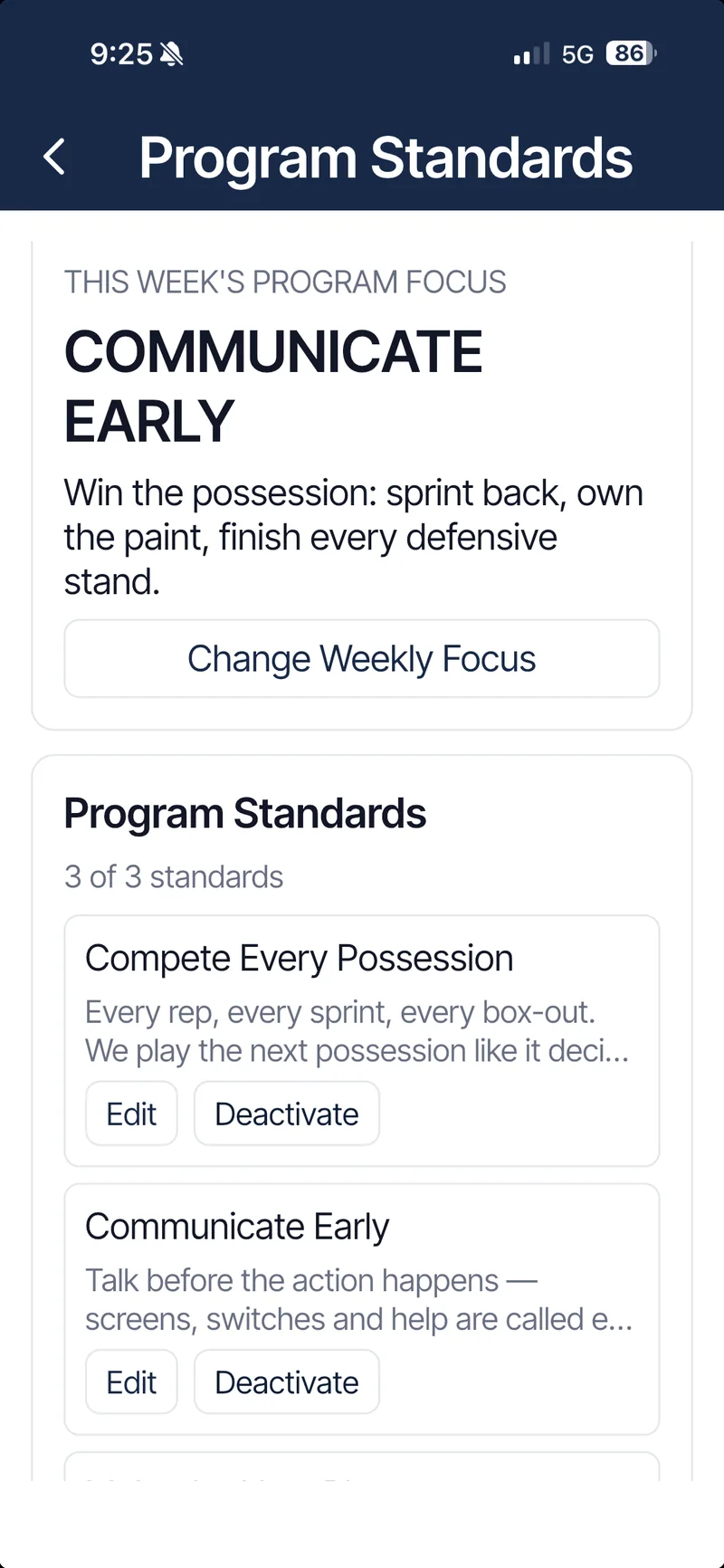
Write down the standards your program stands for, pick one to emphasize each week, and recognize the players who live them.

  • Program Standards in your own words, like Compete Every Possession, Communicate Early and Make the Next Play.
  • A weekly focus that shows up on every player's Home screen.
  • Recognition tied to a standard, from coaches and teammates, reviewed before it posts.

Culture stops being something you mention at the start of the season. It's on the screen every day, and it repeats.

Program Standards: this week's focus Communicate Early, and the standards Compete Every Possession and Communicate Early
06Families

Keep families in the loop, without pulling them into coaching.

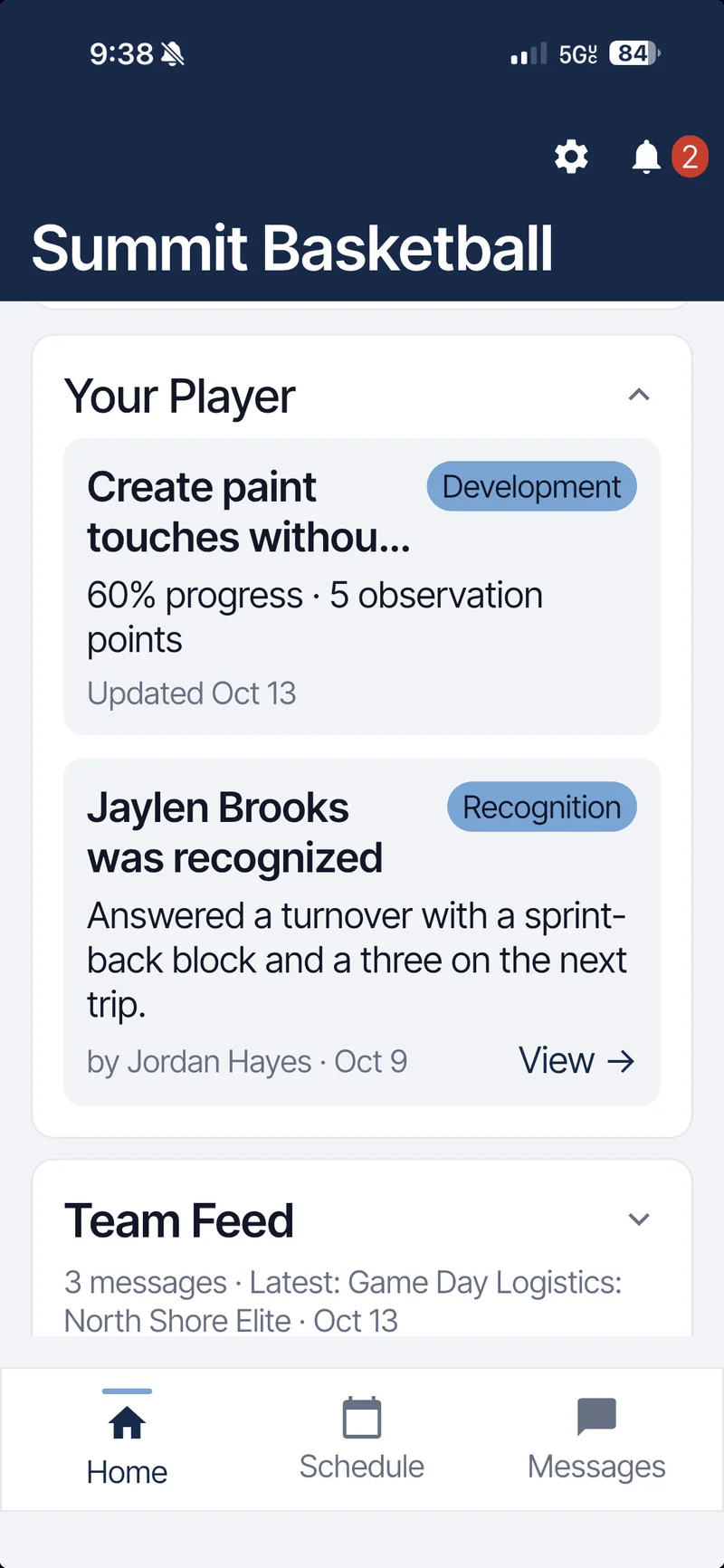
Parents and guardians get a calm, read-mostly view: what's happening, where to be, and how their athlete is doing.

  • The schedule with arrival times and game-day details.
  • Team announcements and direct messages with staff.
  • Their athlete's goal and recognition, through a family link the athlete approves.
  • No access to staff workflows. Coach Prep, evaluations and staff notes stay with coaches.
Parent Home: Your Player card with goal progress and a recognition, plus the team feed

Your whole season, organized.

The team operations you expect, built into the same app, so the schedule, attendance and messages sit next to the coaching work instead of in a separate tool.

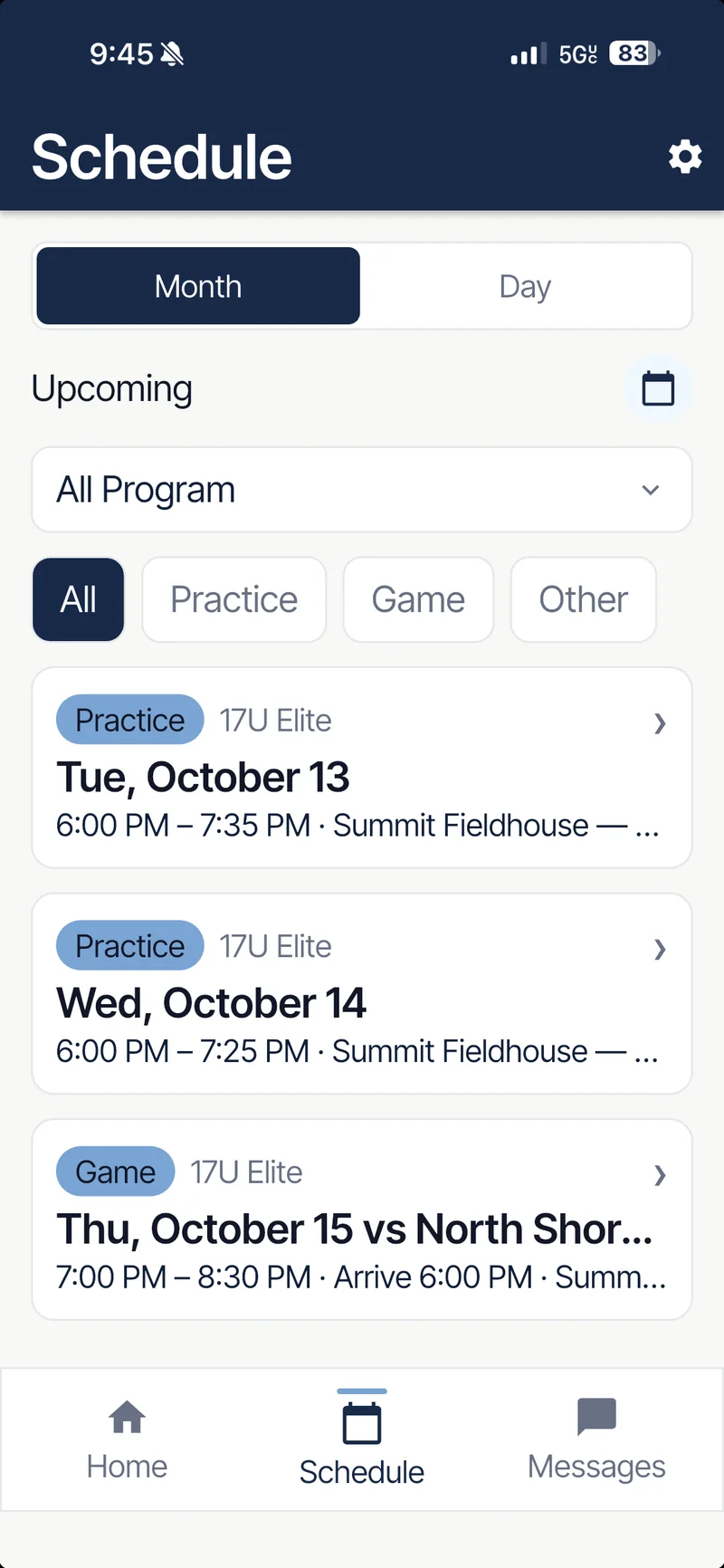
Schedule as players and families see it: upcoming practices and Thursday's game, filterable by event type
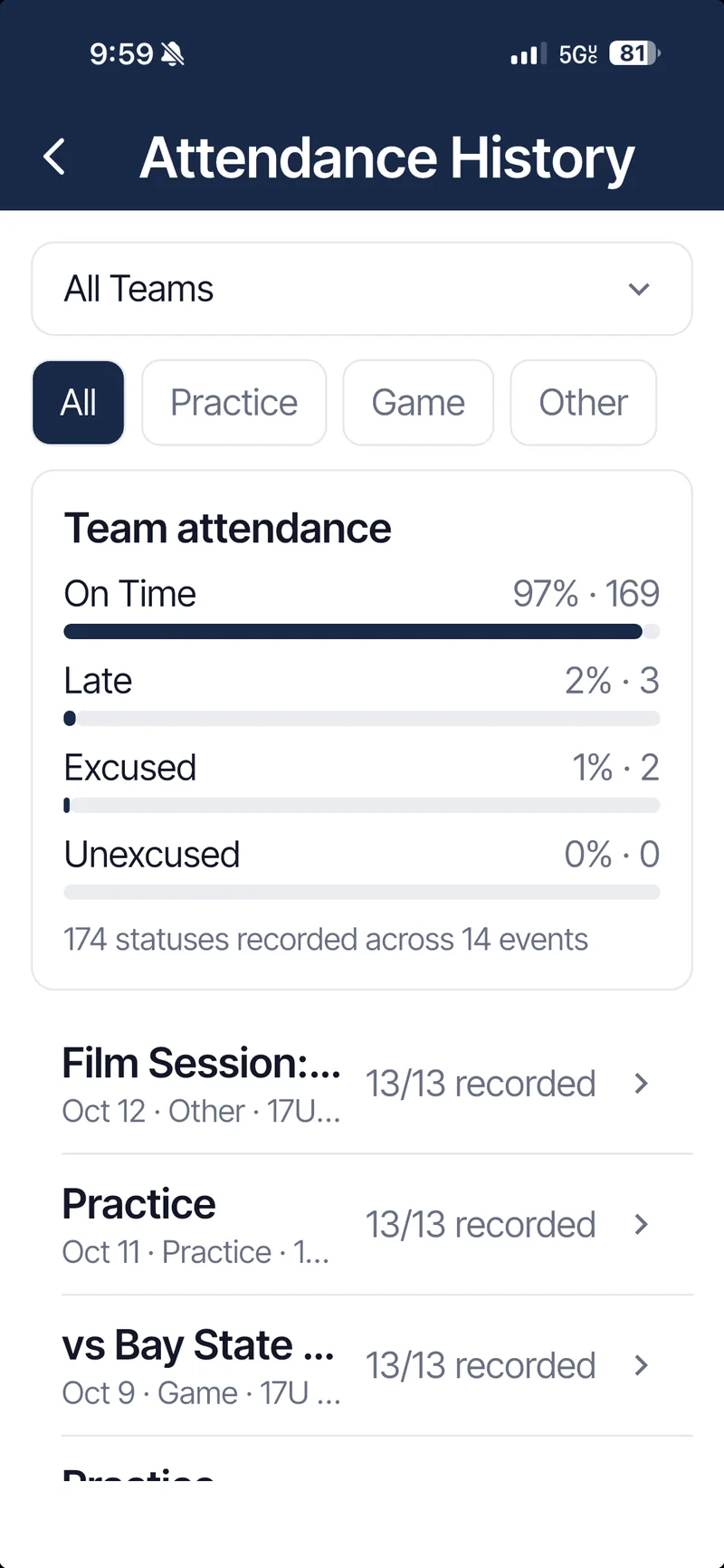
Attendance History: team on-time rate and per-event records across the season

Schedule

Practices, games and events by month or day, filtered by team.

Attendance

On time, late, excused or unexcused, with history across every event.

Messaging

Direct messages with staff, organized in one inbox.

Announcements

Program-wide or team updates that reach players and parents.

Notifications

Push alerts and one inbox for schedule changes, feedback and recognition.

Roster

Players, jersey numbers, positions, staff roles and teams.

Family connections

Parents link to their athlete with a code the athlete confirms.

Program switching

Run up to three teams in a Program, or belong to more than one.

Practice Library

Save any plan as a template and reuse it next week or next season.

Drill Library

Your drills by category, with durations and coaching cues.

One program. Three views.

Everyone signs in to the same app and sees what their role needs, and nothing they shouldn't.

Coach

Prepare. Organize. Develop. Reinforce.

Full program control: daily priorities, practice plans, evaluations, player development, standards, roster and staff.

Player

Own goals. Receive feedback. Know what's next.

Their goal, the weekly focus, tonight's published plan, feedback and recognition, and the schedule.

Parent

Stay informed. Stay connected.

Schedule, announcements, messages with staff, and their linked athlete's goal and recognition.

One plan. Everything included.

CoachBoost is priced per Program, not per player. Every feature on this page is in the plan, and players and families never pay.

See pricing details

CoachBoost Program

$19.99/ month

or $149 / year, about 38% less than monthly

  • Up to 3 active teams in one Program
  • No per-player fees. Players and families join free
  • 15-day free trial, no card needed to start
Start your free trial

Free for coaches

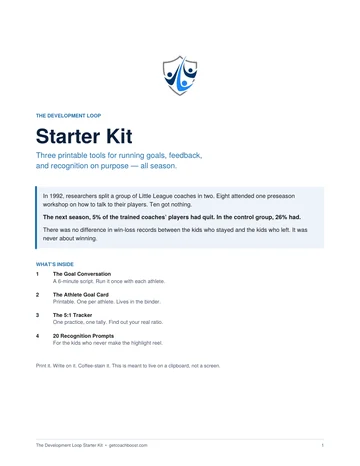
The Development Loop Starter Kit

Seven printable pages for running goals, feedback and recognition on purpose: a six-minute goal conversation script, an athlete goal card, a 5:1 feedback tracker and 20 recognition prompts. No app required.

Get the free kit

No download. No sign-up.

Take a sample team for a spin.

Open a full basketball season in your browser and coach it: see what needs you today, build a practice, set a player goal. It's the same coach console you can use on your computer, loaded with a sample team.

Takes about a minute with the guided tour. Best on a laptop or desktop, and it works on a phone too.

Start your program today.

CoachBoost is launching soon on iPhone and Android. Get the free Development Loop Starter Kit now, and we'll email you the day the app is live.

Built for any team sport. Screens shown use a demo basketball program with fictional players.